
CVAR (Augmented Reality Demo)1.5 - Get APK
You'll be able to download in few seconds.
Publisher Description
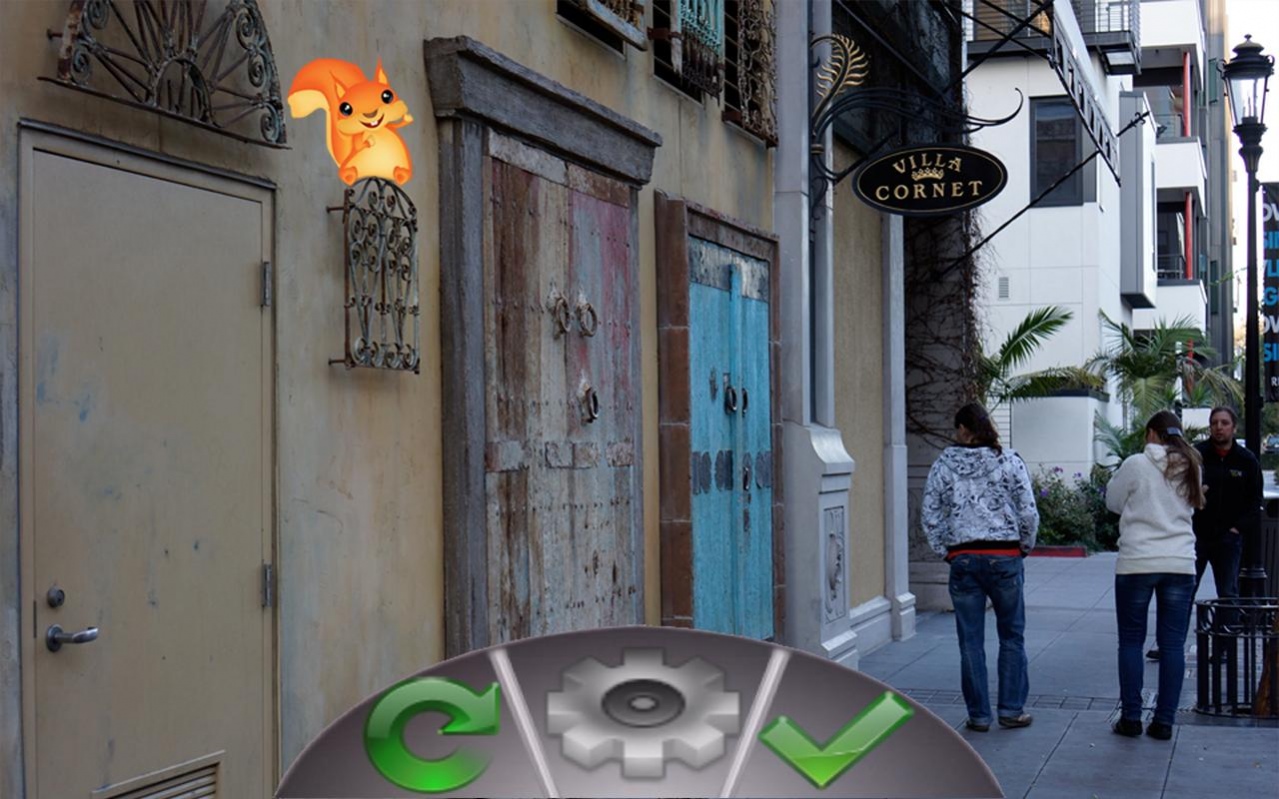

With this app you can hide and find virtual objects in the real world. Look through the camera of your mobile phone and the object will appear at the exact location where it has been placed. You can pan your camera around to find objects hidden by other people. You can also hide and share your own virtual objects.
This technology is known as augmented reality. While it promises many exciting applications, the implementation, especially on the modern generation of mobile devices, is not without challenges. Most existing mobile applications (e.g. Yelp) which implement augmented reality are limited to coarse-grained positioning, typically using your own GPS location and compass heading. This does not allow the precise positioning of objects nor does it work indoors.
CVAR is developed by Codeminders as a showcase of augmented reality implementation based on computer vision technology. As you can see, we can reliably pinpoint virtual object positions and display them in real time at a reasonable frame rate. We have implemented our algorithms for both Apple iOS as well as Android devices.
If you are interested in integrating this technology into your next mobile application, please contact Codeminders (www.codeminders.com). We are a dynamic consulting company and will be glad to discuss how we can help you with your mobile or web development projects.
About CVAR (Augmented Reality Demo)
The company that develops CVAR (Augmented Reality Demo) is Codeminders. The latest version released by its developer is 1.5.
To install CVAR (Augmented Reality Demo) on your Android device, just click the green Continue To App button above to start the installation process. The app is listed on our website since 2015-10-19 and was downloaded 0 times. We have already checked if the download link is safe, however for your own protection we recommend that you scan the downloaded app with your antivirus. Your antivirus may detect the CVAR (Augmented Reality Demo) as malware as malware if the download link to com.codeminders.cvar is broken.
How to install CVAR (Augmented Reality Demo) on your Android device:
- Click on the Continue To App button on our website. This will redirect you to Google Play.
- Once the CVAR (Augmented Reality Demo) is shown in the Google Play listing of your Android device, you can start its download and installation. Tap on the Install button located below the search bar and to the right of the app icon.
- A pop-up window with the permissions required by CVAR (Augmented Reality Demo) will be shown. Click on Accept to continue the process.
- CVAR (Augmented Reality Demo) will be downloaded onto your device, displaying a progress. Once the download completes, the installation will start and you'll get a notification after the installation is finished.
Program Details
System requirements
Download information
Pricing
Version History
version 1.5
posted on 2015-10-19
Fixes for compatibility with newer devices, including 64-bit platforms.
version 1.3
posted on 2013-03-04
version 1.3
posted on 2013-03-04
Several fixes and updates
Disclaimer
External Download
We do not host CVAR (Augmented Reality Demo) on our servers. We did not scan it for viruses, adware, spyware or other type of malware. This app is hosted by Galad and passed their terms and conditions to be listed there. We recommend caution when installing it.
The APK Download link for CVAR (Augmented Reality Demo) is provided to you by apps112.com without any warranties, representations or guarantees of any kind, so access it at your own risk.
If you have questions regarding this particular app contact the publisher directly. For questions about the functionalities of apps112.com contact us.
